
Upgrade Your Connectivity Today Switch To An ESIM Card
Most people don’t realize their phone already has a built-in eSIM that replaces the need for a physical plastic card altogether. This embedded chip lets you activate a cellular plan digitally, often within minutes, by scanning a QR code or using a carrier app. Switching between networks becomes effortless since you can store multiple profiles and choose which one to use without swapping trays.
What Is an eSIM and How Does It Work
An eSIM is a permanently embedded, programmable chip inside your phone that replaces the physical SIM card. Instead of inserting a plastic card, you activate a cellular plan by scanning a QR code or using an app to download a digital profile directly onto the eSIM. This profile securely stores your carrier information and authenticates you to the network, working exactly like a physical SIM. When you travel or switch providers, you can remotely download a new profile—often instantly—without needing to visit a store. This eliminates the hassle of fumbling with tiny cards and allows you to hold multiple plans on one device. Switching between active lines for work or travel becomes a simple toggle in settings. The real trick is that your phone’s firmware manages all this encryption and carrier data on a dedicated secure element, making the process both invisible and tamper-proof.
The Core Technology Behind Embedded SIMs
The core technology behind embedded SIMs, or eSIMs, is a tamper-resistant hardware component soldered directly onto a device’s motherboard. Unlike a traditional SIM card, this chip stores encrypted digital profiles that adhere to a universal integrated circuit card specification. These profiles are remotely provisioned using Over-The-Air (OTA) updates, eliminating the need for physical swapping. The device’s baseband processor interacts with the eSIM’s secure element to authenticate the user onto a cellular UK eSIM network by executing subscriber identity verification algorithms, switching between profiles without accessing a physical card slot. This remote SIM provisioning architecture is the fundamental technological shift enabling permanent, embedded connectivity.
Comparing Traditional SIM Cards to Digital Profiles
When comparing traditional SIM cards to digital profiles, the big win is how you swap carriers. With a physical SIM, you’re hunting for a tiny card, using a pin to pop the tray, and hoping you don’t lose it. Switching to a digital profile happens right on your phone—you just scan a QR code or download a new plan without touching any hardware. Traditional SIMs also lock you to one network at a time, while an eSIM lets you store multiple profiles. This makes juggling home and travel numbers effortless, whereas a physical card means carrying and swapping separate plastic chips.
| Aspect | Traditional SIM | Digital Profile (eSIM) |
| Carrier Switch | Requires physical card swap | Downloadable, instant on-device |
| Number of Lines | One SIM, one line | Multiple profiles stored |
| Travel Setup | Buy & insert local SIM | Add plan via QR code |
| Physical Handling | Fragile card, tray needed | No hardware to touch or lose |
Activating an eSIM Step by Step
To activate an eSIM, first ensure your phone is unlocked and compatible. Purchase a plan from your carrier; you will receive a QR code or activation code. Open Settings > Cellular/Mobile Data and tap “Add Cellular Plan.” Scan the QR code when prompted. Your device may download the profile automatically. Assign the new line for calls or data, especially if keeping a physical SIM active. Complete activation by restarting your device. The profile installs securely, enabling service without inserting a plastic card.
Q: How do I activate an eSIM if I lose the QR code?
A: Contact your carrier’s support; they can resend the activation code or reissue a QR code through your online account portal.
Top Reasons to Switch to a Programmable SIM
Switching to a programmable SIM, specifically an eSIM card, offers instant carrier switching without needing to handle a physical card. You can store multiple profiles on a single eSIM, making it ideal for separating work and personal numbers. Remote provisioning lets you activate a new data plan mid-travel, bypassing the need to find a local store. An eSIM is also more durable since it is soldered inside your device, eliminating the risk of losing or damaging a physical SIM. For device management, a programmable eSIM allows bulk profile updates across your devices, simplifying connectivity changes for phones, tablets, or smartwatches.
Instant Carrier Switching Without a Physical Swap
Forget fumbling with a tiny SIM tray. With an eSIM, you get instant carrier switching without a physical swap. Need a cheaper local data plan on vacation? Buy it from an app, scan a QR code, and you’re live in seconds. Your main number stays active, ready to switch back whenever. It’s perfect for travelers or anyone chasing better deals on the fly. No more waiting for a new card to arrive in the mail.
Q: Can I really switch carriers instantly without removing anything from my phone?
A: Yep! Just download a new eSIM profile from your chosen carrier and activate it in your settings. The switch is digital and takes about a minute.
Traveling with Multiple Numbers on One Device
Traveling with multiple numbers on one device transforms how you navigate trips by letting you keep your home SIM active for bank verifications while adding a local eSIM for data. This setup avoids swapping physical cards and lets you manage separate work, personal, and travel lines on a single phone. When abroad, you can receive calls on your primary number over Wi-Fi while browsing with a cheaper local plan. It’s perfect for digital nomads juggling clients across time zones. Managing dual lines while roaming becomes seamless, as you toggle between profiles in settings without carrying a second phone.
Q: Can I use WhatsApp with a foreign eSIM while keeping my home number active?
A: Yes. Your home SIM stays on for SMS and calls, while the eSIM provides data for apps like WhatsApp, letting you message with your familiar number.

Space Savings for Thinner Gadgets and Wearables
Eliminating the physical SIM tray directly frees up critical internal volume, enabling manufacturers to design thinner gadgets and compact wearables. This reclaimed space allows for larger batteries or additional sensors without increasing device thickness. For wearables, the absence of a card slot facilitates sleeker, more ergonomic bands and housings. This space savings for thinner gadgets is key to achieving truly lightweight, unobtrusive designs.
- Removes the need for a dedicated SIM slot and ejector mechanism.
- Frees board space for larger batteries or enhanced cooling systems.
- Enables seamless, waterproof sealing without removable access flaps.
- Allows curved or irregular internal shapes impossible with a physical card.
Devices That Support Embedded SIM Profiles
An eSIM card is a tiny, embedded chip that replaces the physical plastic SIM, and it’s already built into many modern devices. You’ll find devices that support embedded SIM profiles in recent Apple iPhones (starting from the XS/XR), Google Pixel phones (from Pixel 3), and Samsung Galaxy S20 series and newer. Most current high-end Android phones, including OnePlus and Xiaomi models, also support it. Beyond phones, many smartwatches like the Apple Watch (Series 3 and later) and Samsung Galaxy Watch use eSIMs for standalone cellular connectivity. Laptops such as the Microsoft Surface Pro X and some newer iPads also have embedded SIM slots. You cannot physically swap an eSIM between devices like a regular SIM; instead, you must download a new profile from your carrier to activate it on a new phone or watch. Always check your specific model’s settings under “Cellular” or “Mobile Data” to see if “Add eSIM” is an option.
Latest Smartphones with Built-in eSIM Capabilities
The latest smartphones with built-in eSIM capabilities, such as the iPhone 15 series and Google Pixel 8, allow users to activate a cellular plan without a physical SIM card. These devices typically support dual SIM functionality, combining one eSIM with a physical nano-SIM or a second eSIM. Users can store multiple eSIM profiles on a single phone, switching between carriers directly from the settings menu for travel or network preference. Most flagship models from Samsung and Motorola also include this feature, offering seamless activation via QR codes or carrier apps.
Smartwatches and Tablets That Go Digital
Smartwatches and tablets that adopt digital-only connectivity embed an eSIM directly into the motherboard, eliminating the physical SIM slot entirely. For a smartwatch, this allows the device to maintain an independent cellular link for calls, messages, and streaming without tethering to a phone; users activate the eSIM profile via a QR code or carrier app. Tablets leverage the same approach to switch between data plans for Wi-Fi-free environments, such as on a commute or in a remote workspace, without needing to insert or swap a plastic card. The result is a sealed, water-resistant chassis and instant carrier provisioning from the device’s settings menu.
Smartwatches and tablets become fully standalone cellular devices, activated and managed entirely through software-based eSIM profiles.
Laptops and IoT Devices Embracing the Tech
Laptops and IoT devices are now fully embracing the tech, making cellular connectivity as simple as Wi-Fi. For laptops, an embedded SIM for seamless connectivity means you can buy and activate a data plan directly from your device, skipping the hunt for a physical SIM while traveling. For IoT gadgets like smart sensors or cameras, it means manufacturers can pre-configure global profiles, so a security camera works out of the box in any country. How does an embedded SIM help a laptop when I’m offline? It lets your laptop latch onto a cellular network automatically—no need to tether your phone or hunt for public Wi-Fi.
How to Get an eSIM for Domestic Use
You unlock your phone, ditching the physical SIM tray forever. For domestic use, open Settings and tap “Add Cellular Plan.” Your carrier’s app likely offers a QR code or direct download—scan it with your camera. In seconds, an esim card activates, cloning your number without waiting for mail. You can buy a domestic eSIM instantly from a prepaid carrier like T-Mobile or a local MVNO via their website. Enter your address and ID, get a confirmation, and download the profile. That’s it—your phone now lives on a clean, digital line, ready for calls and data within your own country.
Major Telcos Offering Digital Activation Plans
Major telcos like Verizon, T-Mobile, and AT&T now offer digital activation plans for eSIM that allow you to switch phones or add a line without visiting a store. Using their apps or website, you purchase a plan and receive a QR code or download a profile directly to your device. This bypasses the need for a physical SIM card entirely. Activation typically takes under five minutes once you scan the code or install the eSIM profile in the phone’s cellular settings. These plans are identical to traditional postpaid or prepaid options, just delivered digitally.
Supported Prepaid and Postpaid Options
When getting an eSIM for domestic use, you can choose between prepaid and postpaid options. Prepaid eSIMs offer instant activation without a credit check, letting you pay upfront for data or talk time; top up as needed. Postpaid eSIMs, conversely, are typically tied to your existing carrier account, bundling charges into a monthly bill after service usage. Opting for a postpaid eSIM often provides seamless integration with your current plan, including shared data pools. Both require a compatible device, but prepaid eSIMs are ideal for flexible, short-term control while postpaid eSIMs suit those wanting consolidated billing. Check carrier compatibility before selecting your plan type.
Q: Which option is faster to set up: prepaid or postpaid eSIM?
A: Prepaid eSIMs are generally faster, as they can be activated immediately online without waiting for account verification or credit approval.
Downloading and Installing Your First Profile
After purchasing a domestic eSIM plan, your provider will issue a QR code or a manual activation code. Begin by connecting to a stable Wi-Fi network to avoid cellular disruptions. On your device, navigate to eSIM card settings—typically under “Cellular” or “Mobile Data”—and select “Add Cellular Plan.” Scan the provided QR code immediately; if it fails, enter the activation code manually. The profile downloads within seconds but may require a device restart to appear as an active line. Name the profile (e.g., “Domestic Data”) and assign it as your default for cellular data. Finalize by confirming the activation prompt and ensure the network shows a connection signal.
Using a Digital SIM for International Travel
Using a digital SIM for international travel eliminates the need to find and insert a physical SIM upon arrival. Before departing, you purchase and install an eSIM card plan for your destination country or region. Upon landing, you simply enable the eSIM profile in your phone’s settings, instantly connecting to a local network without swapping trays or carrying extra cards. This setup lets you keep your primary home number active for calls or texts while using the eSIM for data.
The key advantage is avoiding expensive roaming fees and the hassle of buying a local SIM, as activation occurs entirely online before you travel.
Coverage and speed depend on the specific eSIM provider’s partner networks, so verifying supported carriers in your destination is essential.

Local Data Plans Without Roaming Fees

When using an eSIM for international travel, local data plans without roaming fees let you buy a regional or country-specific package directly from a local carrier, skipping your home provider’s expensive daily charges. You simply scan a QR code or use an app to install the plan, then connect to affordable 4G/5G speeds as soon as you land. No SIM swaps or physical cards needed—just instant, budget-friendly access tailored to your destination.
- Plans typically cost a fraction of standard roaming, often under $10 for a week of data.
- You keep your home number active for calls while using the eSIM for internet.
- Top-up or switch to a different local plan mid-trip without any contract.
Best eSIM Providers for Global Coverage
For travelers needing broad connectivity, Airalo and Holafly emerge as top-tier choices for global eSIM coverage, each offering distinct practical advantages. Airalo provides extensive country-specific and regional plans with a pay-as-you-go model, allowing you to activate data only where needed without contractual obligations. Holafly specializes in unlimited data packages for multiple continents, eliminating the anxiety of tracking usage across borders. Both platforms support instant digital delivery and local network switching, ensuring you stay online upon arrival. Evaluate your itinerary: Airalo suits budget-conscious travelers with flexible top-ups, while Holafly excels for heavy data users who prefer a single flat-rate plan covering entire regions.
Managing Multiple Travel Profiles at Once
Managing multiple travel profiles at once is streamlined by an eSIM’s ability to store several operator profiles simultaneously. Instead of physically swapping SIMs, you switch between pre-loaded travel data plans via a device menu. Profile stacking for multi-destination travel lets you install a Japan plan while retaining a Singapore plan, deactivating the former when landing. This avoids wasted data days and manual reconfiguration. Logical sequencing—installing the next destination’s profile before departure—ensures seamless handover upon arrival.
- Activate only one profile at a time to prevent accidental data roaming charges.
- Label each profile clearly with the destination and expiry date for quick identification.
- Keep the primary home-country profile disabled until returning to avoid dual-active billing.
- Pre-install a backup regional profile with wide coverage in case the local operator fails.
Security and Privacy Advantages Compared to Physical Cards
The eSIM eliminates the risk of physical theft or skimming, as your subscriber data is embedded and encrypted directly into the device’s secure element. If your phone is lost, you can remotely disable the eSIM profile without needing a replacement card, whereas a physical SIM can be ejected and used in another phone instantly. Your privacy is further protected because no visible card reveals your carrier or account details to bystanders. This means a pickpocket gains nothing from stealing just the eSIM itself, since the profile remains tied to your device’s unique hardware attestation. Remote provisioning also ensures you never hand over a physical chip to a store clerk, reducing exposure to cloning or identity fraud.
Reducing Risk of SIM Swapping and Theft
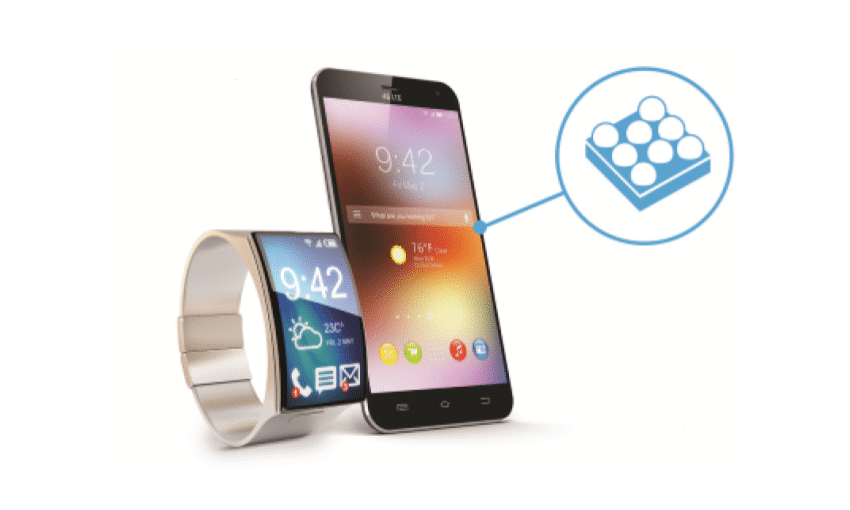
An eSIM significantly reduces the risk of SIM swapping and theft because the profile is embedded in the device’s tamper-resistant hardware, not a removable card. This eliminates physical theft, where a criminal swipes your card to port your number. For remote swap attacks, an eSIM requires multi-factor authentication via the carrier’s app or account portal, making it far harder to hijack than a physical SIM activated over the phone. Embedded hardware security ensures your identity cannot be transferred without direct device access. Can an eSIM prevent SIM swapping entirely? No, it does not prevent social engineering of your carrier account, but it physically blocks the most common theft method of removing a card from a lost phone.
Remote Locking and Wiping Capabilities
Remote locking and wiping capabilities provide instantaneous device-level security for eSIM profiles. Unlike a physical SIM, which must be physically removed to disable account access, a lost or stolen device’s eSIM can be deactivated or irreversibly wiped over the air via the carrier’s portal. This renders the profile useless to unauthorized users, preventing phone number theft and data retrieval. The operator can push a lockdown command directly to the secure element, with no reliance on user-side actions. Subsequent remote wiping erases the eSIM provisioning data entirely, ensuring the profile cannot be reinstalled without the original account credentials.

Encrypted Profiles for Enhanced Data Protection
An eSIM’s security foundation relies on **encrypted digital profiles**. Unlike a physical card, which can be cloned or read via a skimmer, the profile data on an eSIM is stored in a tamper-resistant secure element and encrypted end-to-end during download. This prevents interception of your network credentials, as the profile is only activated after cryptographic verification with the carrier. If a device is lost, the encrypted profile can be remotely wiped, rendering the authentication data unreadable. This architecture isolates your identity from the hardware, ensuring that even if the device is compromised, the specific encryption keys within the profile remain inaccessible to attackers.
Common Pitfalls and How to Avoid Them
A common pitfall with eSIMs is assuming immediate activation after purchase; activation steps often require scanning a QR code or entering a manual code within your phone’s settings, so always install the eSIM before leaving Wi-Fi coverage to avoid data dead zones. Another frequent mistake is failing to designate which line handles calls, texts, or data when using dual SIMs—navigate to your cellular settings and assign a default line for each function. Travelers also often buy the wrong regional plan, so double-check that your eSIM covers your exact destination countries. Finally, forgetting to delete an expired eSIM can clutter settings and cause confusion; simply remove old profiles under “Cellular Plans” to keep your device organized.
Device Compatibility Checks Before Purchase
Before buying an eSIM, a hasty assumption your phone supports it can derail your setup. Failing a device compatibility check forces you into wasteful returns or activation dead-ends. Scrutinize your phone model’s official specs—older models like some iPhones before XS lack eSIM hardware. Check for carrier locking, as a restricted device cannot activate a third-party eSIM. Use your phone’s IMEI in a quick compatibility tool on the eSIM provider’s site; that single step prevents the agony of a non-functional travel profile. Skip this, and a seamless connection becomes a frustrating paperweight.
Carrier Lock Restrictions You Should Know
Carrier lock restrictions can render an eSIM useless if your device is locked to a specific provider. Before purchasing an eSIM plan, verify your phone’s unlock status in Settings under “Carrier Lock” or by inserting a non-network SIM. A locked device will reject foreign eSIM profiles, causing activation failure. Always request an official unlock from your current carrier before traveling or switching providers—this is permanent and allows any eSIM. Q: Can a locked phone use an eSIM from another carrier?
A: No. A carrier lock blocks all eSIM profiles not issued by the device’s original network, so you must unlock the phone first.
Backing Up Your Digital SIM Data
Unlike a physical SIM, your eSIM data isn’t a card you can misplace, but it is a digital profile you can lose. The critical pitfall is assuming your carrier will instantly reissue a profile after a factory reset or phone switch. Proactive profile backup is your only safety net. Always screenshot your activation QR code and download the eSIM’s installation details to a secure cloud drive before switching devices. Failing to do so means potential days without service while waiting for a new QR code.
Q: Can I directly copy my eSIM profile to a new phone like a file? Usually no. Most systems require you to re-download the profile using your original QR code or carrier app, making a secure copy of that code your true backup.
Future Trends in Embedded Mobile Connectivity
The next step for eSIM is truly seamless, always-on connectivity across devices, where your profile isn’t tied to a single phone but floats between your watch, laptop, and car. Imagine a hiker deep in a canyon; her eSIM *instantly* swaps from the usual city carrier to a regional tower with better signal, without any manual scan or app. Q: How will eSIM change how we manage plans? A: You’ll provision niche, short-term data—like a week of satellite relay for that canyon trip—directly from your phone’s interface, with automatic disabling when the trail ends. Future eSIMs will also embed dual connectivity by default, letting one profile handle low-power IoT sensors while another streams HD maps, all without user intervention.
Seamless Network Switching Via Software Updates
Embedded SIMs enable dynamic carrier reconfiguration, allowing devices to switch networks through remote software updates rather than physical swaps. This process leverages over-the-air profile management, where a device downloads a new carrier operator profile to instantly change connectivity. The update mechanism automatically selects the strongest available network based on real-time signal analysis, optimizing performance without user intervention. Seamless transitions occur in the background, maintaining active data sessions during the handover. This capability ensures consistent coverage in moving vehicles or multi-region deployments by adapting to local infrastructure changes purely through software-driven network selection.
Integration with 5G and Satellite Services
An eSIM is the key to unlocking seamless multi-network connectivity, as it dynamically manages both 5G and satellite services. Your device can automatically switch from a congested urban 5G tower to a low-earth orbit satellite for reliable data in remote areas, without manual SIM swaps. This fusion enables continuous video streaming while hiking or maintaining remote IoT sensor links where terrestrial coverage fails. The eSIM profile mediates between high-speed 5G and low-bandwidth satellite, prioritizing the best available connection for your task.
Integration with 5G and satellite services via eSIM delivers uninterrupted, adaptive connectivity by intelligently toggling between terrestrial speed and orbital reach.
Unlimited Plans and Regional Bundles on the Rise
As eSIM technology matures, travelers can now activate regional bundles with unlimited data from a single provider, covering multiple countries without swapping physical SIMs. These plans offer a flat fee for high-speed, uncapped connectivity across entire continents like Europe or Asia, replacing fragmented local SIM purchases. For frequent roamers, regional unlimited bundles provide predictable costs and seamless network switching, ensuring constant access for work or streaming. This shift makes global travel simpler, as you pre-purchase a single plan that auto-connects across borders without complex setups.
Q: How do regional unlimited bundles simplify travel?
A: They let you buy one eSIM plan, like “Unlimited Europe,” that works across dozens of countries automatically—no per-destination SIM hunting or usage caps.
